
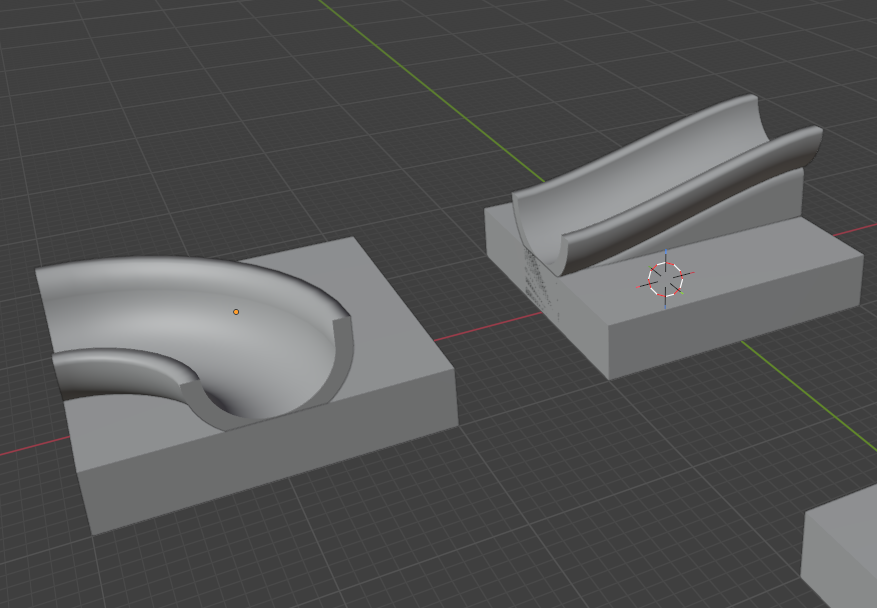
 The ability to extrude a 2D profile along a 3D curve is a very powerful
technique, rather than attempting to manually model something you will
end up with something that looks a lot smoother. I favour bezier curves,
note on the slope shown here, that the slope starts and ends level and
smoothly slopes between the two.
The ability to extrude a 2D profile along a 3D curve is a very powerful
technique, rather than attempting to manually model something you will
end up with something that looks a lot smoother. I favour bezier curves,
note on the slope shown here, that the slope starts and ends level and
smoothly slopes between the two.
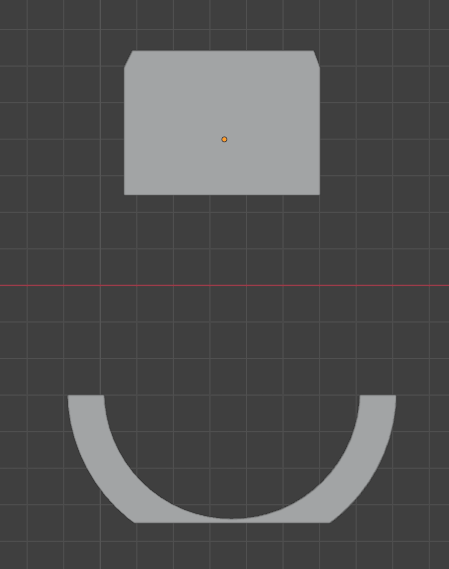 As well as the path to follow, obviously a profile is needed, its sufficient to use a mesh for this, it should lay flat on a plane without "height" as long as you don't bake the resulting extruded object into a mesh you can edit the profile on the fly and immediately see the result. Note you do not need to convert to mesh when exporting to STL for 3d printing...)
While no doubt there is more than one way to get the result we're after, I chose to use a geometry node modifier, this at first sight seems complex, but it really isn't that bad and it is a very powerful technique as you could apply all manner of nodes to the geometry graph.
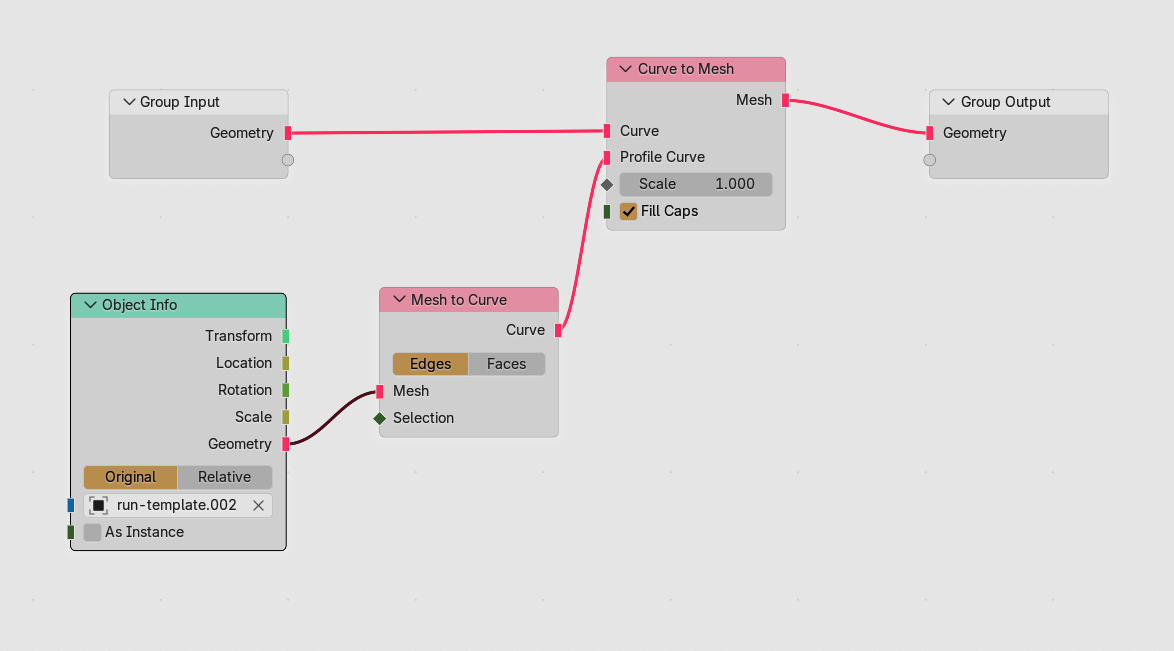
(please do open the graph image in a new tab, so you can see it clearly)
Add a geometry nodes modifier to the path you want to follow (in the root of the add modifier menu) and then in the modifiers pane click add, change one of your main panes to look at the geometry node editor (the bottom left animation pane for example). You should see just two nodes an input and output node.
Three new nodes are needed, a curve to mesh (add/curve/operations) a mesh to curve for the profile (add/mesh/operations) and finally an object info node (add/input/scene) to input the profile.
The add node menu has a very wide range of different nodes and finding what you want can be a little frustrating but then that's the price you pay for such power.
The mesh to curve is used between the object info node (input of the profile) and provides the profile curve for the curve to mesh that outputs the geometry, the curve to mesh node takes the geometry input into the curve input of the curve to mesh curve input
Hopefully if you've replicated the node graph correctly you should have the profile extruded along you path
Enjoy!